Why AI Keeps Forgetting
The Wall You Just Hit
After Challenge 2, you've probably noticed something frustrating. Every time you start a new conversation with your AI coding assistant, you have to re-explain everything:
- "This is an Expedition Safety Brief for Yellowstone backcountry hikers..."
- "We're using live data from NPS alerts, NWS forecasts, and USGS stream gauges..."
- "We want it to be something people actually rely on before heading into the backcountry..."
You've been building real features, connecting to live data, making something you're proud of. And yet every fresh conversation feels like meeting a stranger who has never seen your project before.
That's because it is.
Two Things You Already Know
In Lesson 1, you learned two things about how AI works that are hitting you hard right now:
AI is stateless. It has no memory between conversations. Every new session starts completely blank, like meeting someone new who has never spoken to you before. This was manageable in chat when conversations were short. Now that you're building a real project, it's a real problem.
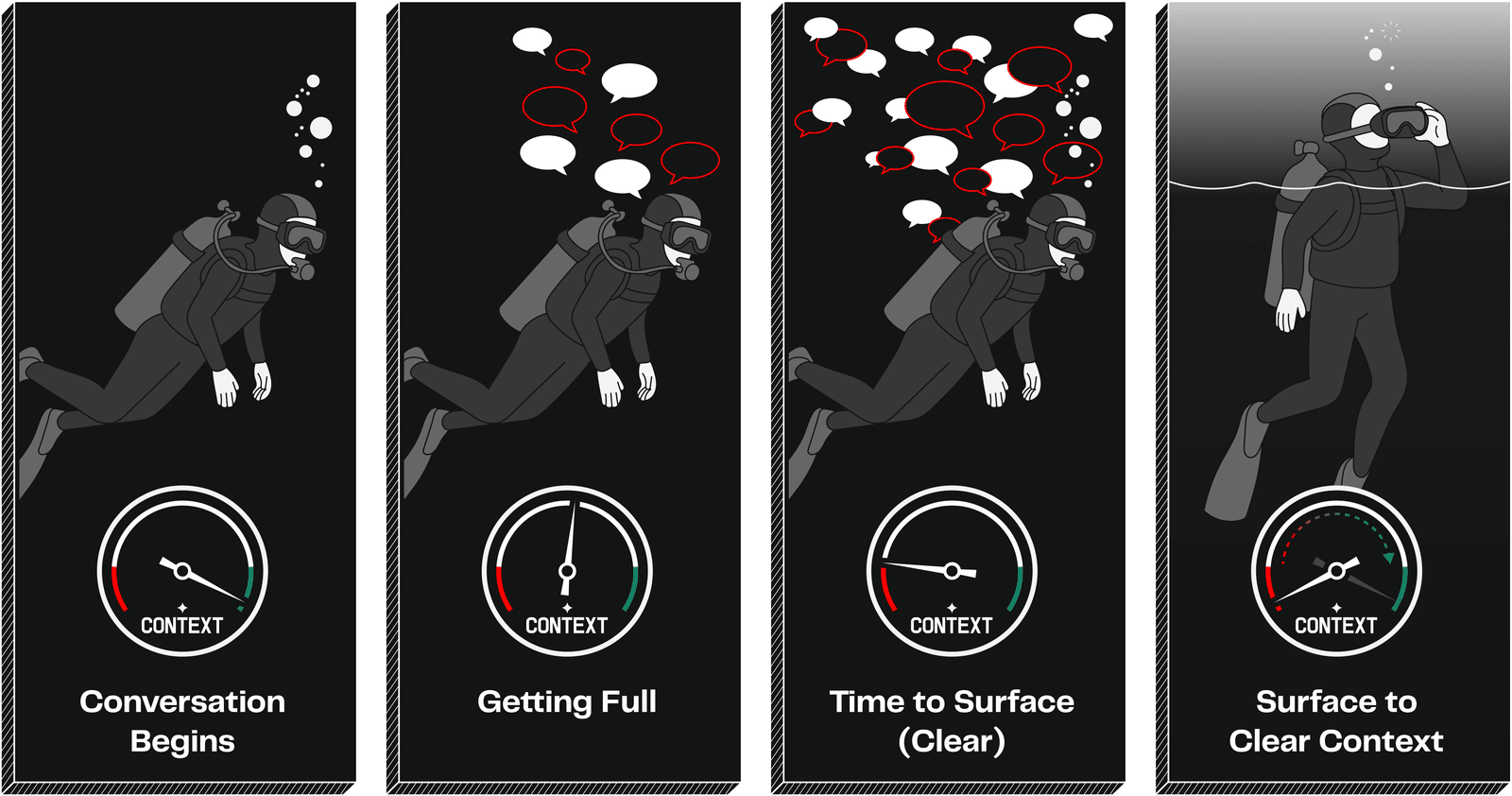
The context window is an oxygen tank. As you talk back and forth with AI, the conversation fills up. Eventually, AI's responses start getting fuzzy. It repeats itself, misses things you told it earlier, or gives answers that feel off. When that happens, you need to "surface for fresh air" by starting a new conversation.
Here's the catch: when you start fresh, the details fade. Some AI tools are getting better at holding onto key points or remembering things between sessions, but the specifics (the exact decisions you made, the detailed back-and-forth) don't carry over reliably. It's like being helped by someone who remembers the broad strokes but forgets the details every time they leave the room.
When to Start Fresh
You already know the habit of saving and syncing your work (from Lesson 2). Starting fresh conversations is a similar habit. Here's when to do it:
Start a fresh conversation when:
- AI starts repeating itself or giving less relevant answers
- You've been going back and forth for a while and responses feel off
- You're switching to a completely different task
- You want AI to have "fresh eyes" on a problem
Don't start fresh when:
- You're in the middle of building something and it's going well
- AI just gave you useful information you're still working with
- You're asking follow-up questions about the same thing
The good news: your work is saved in your project. Starting a fresh conversation doesn't lose what you've built. AI can always pick up where you left off by looking at what's already there. You only lose the conversation itself.
Your Context Management Toolkit
Now that you're working in the terminal, your AI coding assistant has built-in commands for managing the oxygen tank. These are called slash commands: you type them directly into your AI assistant, just like you would type a regular message. The slash at the beginning tells your assistant it's a special command, not a conversation. They won't break anything, and you can't hurt your project by trying them.
In Your AI Assistant
- Start fresh when you're switching to a completely different task. This wipes the conversation and gives AI a clean slate. Your project files are untouched.
- Compact when the conversation is getting long but you're still working on the same thing. This summarizes what's happened so far, freeing up space while keeping the thread alive.
-
Resume when you want to pick up a previous conversation where you left off, like reopening a saved document.
-
/clear- start a fresh conversation (aliases:/reset,/new) /compact- summarize to free space; add focus instructions like/compact keep the test patterns/resume- pick up a previous conversation by name or ID
When Did AI Forget?
Team Discussion | ~3 minutes total
Think back to Challenge 2. As a team, discuss:
- Did you notice AI's answers getting less helpful the longer a conversation went?
- Did you find yourselves repeating the same instructions, explaining what the project is, what it does, what data sources you're using?
- Did anyone start a fresh conversation during Challenge 2? What happened?
Discuss: What was the most frustrating thing about AI not remembering your project?
Key Insight
AI forgetting between conversations isn't a flaw you need to work around. It's a problem with a real solution. Starting fresh keeps quality high, but the repeating-yourself problem is about to go away. The next section shows you how.